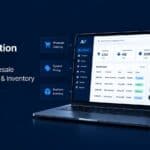
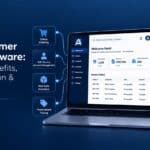
A supplier self-service portal is a secure online platform that allows suppliers to manage business information, purchase orders, delivery updates, invoices, documents and other supplier interactions without relying entirely on email, phone calls or manual processes. When integrated with an ERP system, the portal can connect supplier-facing activities with procurement, finance and supply chain workflows.
A supplier self-service portal provides a structured way to manage interactions across supplier networks while giving suppliers controlled access to the information and processes relevant to them.
Modern supplier portals commonly support supplier onboarding, profile management, purchase order collaboration, invoice submission and document management. These capabilities form the foundation of modern Supplier Portal Software, helping organisations move supplier interactions from fragmented manual communication into structured digital workflows.
What Is a Supplier Self-Service Portal?
A supplier self-service portal is an external-facing business portal that gives suppliers direct access to selected information and workflows.
Instead of contacting procurement or accounts payable for every update, suppliers can complete supported tasks themselves through a centralised interface.
Depending on the solution, suppliers may be able to:
- Register or complete onboarding information
- Maintain company and contact details
- View and acknowledge purchase orders
- Provide delivery information
- Submit invoices
- Check invoice status
- Upload certificates and other documents
- Manage authorised portal users
- Respond to procurement requests
The exact capabilities depend on the portal and its integration with the organisation's ERP and other business systems.
For organisations evaluating Supplier Portal Software, the most important consideration is whether the platform supports the supplier workflows they actually need while integrating effectively with their existing business systems.
Supplier Self-Service Portal vs Vendor Management System
A supplier self-service portal and a vendor management system are related but serve different purposes.
A supplier portal is primarily a supplier-facing interaction layer. It enables external suppliers to access information and complete specific tasks.
A vendor or supplier management system is generally focused on the internal management of supplier relationships and supplier data. It may include onboarding, qualification, risk management, performance management, contracts, compliance and supplier records.
The two can work together:
Supplier → Supplier Portal → ERP / Supplier Management System → Procurement & Finance
A B2B Vendor Portal can provide similar supplier-facing functionality while using the terminology "vendor," which is particularly common in US business contexts. The terms supplier portal and vendor portal may therefore overlap, although the precise capabilities depend on the platform.
A supplier portal does not necessarily replace supplier management software. Instead, it can provide suppliers with a controlled self-service experience while internal teams continue managing supplier relationships through their core business systems.
What Are the Core Functions of a Supplier Self-Service Portal?
Supplier Profile Management
Suppliers can maintain relevant company information, contacts, capabilities and documentation through the portal. Depending on the implementation, organisations can also introduce approval workflows before changes become part of the official supplier record.
Purchase Order Management
A portal can give suppliers access to relevant purchase orders and allow them to acknowledge or respond to orders. Some platforms also support delivery-date or quantity updates.
Invoice Management
Suppliers can submit invoices electronically and, where supported, track invoice progress. Connecting invoice workflows with purchasing and finance data can help reduce duplicate manual data entry.
Document and Compliance Management
Supplier portals can provide a central location for certificates, contracts, compliance documents and other required information. Some solutions also support certificate expiry dates and supplier onboarding documentation.
User and Access Management
Supplier administrators may be able to manage authorised users and permissions. Role-based access can help ensure that users only see the information and functions relevant to their role.
These capabilities are examples of common Supplier Portal Features and should be evaluated against the specific workflows and integrations required by the organisation.
How Does a Supplier Self-Service Portal Reduce Manual Work?
Without a self-service portal, supplier interactions can become distributed across email, spreadsheets, telephone calls and multiple internal teams.
A supplier may email procurement to ask about a purchase order, contact accounts payable about an invoice, and send documents through another channel.
A portal brings supported interactions into one controlled environment.
Traditional workflow
Supplier → Email procurement → Internal lookup → Response → Supplier
Self-service workflow
Supplier → Portal → Relevant information / workflow → ERP or business system
This can reduce repetitive enquiries and manual administration, particularly when the portal is connected to the organisation's ERP. ERP integration can connect business applications and synchronise information across functions such as finance, procurement and supply chain.
A B2B Self-Service Portal can therefore provide suppliers and other business users with direct access to relevant information without requiring internal employees to manually respond to every routine request.
How Do Supplier Portals Improve Invoice Accuracy and Payment Cycles?
Invoice processing can become more structured when suppliers submit information through a defined portal workflow.
For example, an organisation may configure invoice submission around purchase-order information and required fields. This can reduce incomplete submissions and make it easier for finance teams to identify the information required for processing.
The portal can also provide suppliers with visibility into invoice status where that functionality is supported.
Purchase Order → Invoice Submission → Validation / Processing → Payment Status
The actual improvement in invoice accuracy or payment time depends on the organisation's processes, ERP configuration, approval workflows and supplier adoption.
A portal should therefore be evaluated using measurable indicators such as:
- Invoice exceptions
- Invoice processing time
- Portal adoption
- Manual supplier enquiries
- Invoice submission rates
- Purchase-order acknowledgement rates
Rather than relying on unsupported percentage claims, these metrics can help organisations establish the actual business impact of their supplier portal implementation.
What Security Measures Protect Supplier Data?
Security should be evaluated based on the actual architecture and controls of the portal rather than generic claims.
Relevant controls can include:
- Authentication and secure login
- Role-based access
- Permission management
- Data segregation between suppliers
- Controlled access to documents and transactions
- Audit logging
- Encryption and secure data transmission
- Integration security between the portal and ERP
- Administrative access controls
For any specific Supplier Portal Software, security and compliance claims should be supported by the provider's technical documentation, certifications and security policies.
Organisations should also consider how supplier users are authenticated, what information they can access, how permissions are managed and how portal activity is recorded.
How Long Does It Take to Implement a Supplier Self-Service Portal?
There is no universal implementation timeframe.
A simple portal with limited workflows and an established integration may require considerably less implementation effort than a large enterprise deployment involving multiple ERP systems, supplier groups, approval workflows, compliance requirements and complex data migration.
The main factors affecting implementation time include:
- Number of suppliers
- Number of workflows
- ERP architecture
- Integration requirements
- Data quality
- Authentication requirements
- Security and compliance requirements
- Customisation
- Supplier onboarding strategy
- Testing and training
A phased rollout can allow organisations to launch priority workflows first, such as supplier onboarding, purchase orders and invoices, before expanding functionality.
What ERP Systems Can a Supplier Portal Integrate With?
The answer depends on the portal's integration architecture.
ERP integration can use APIs, middleware, connectors, EDI or other integration methods to exchange information between systems.
Organisations evaluating a supplier portal should therefore assess its compatibility with their specific ERP environment, rather than assuming that every portal supports every ERP system.
Integration may involve:
- Supplier records
- Purchase orders
- Order acknowledgements
- Delivery information
- Invoices
- Payment status
- Documents
The ERP can remain the central source of business information while the supplier portal provides a controlled external interface for supplier interactions.
For businesses looking for an ERP-integrated approach, Applications Platform provides B2B web portal capabilities designed to connect external users with enterprise business systems.
How Can Organisations Encourage Supplier Portal Adoption?
Technology alone does not guarantee supplier adoption.
A successful supplier self-service portal should make common supplier tasks easier than the previous email or phone-based process.
Useful adoption strategies include:
- Keep onboarding simple: minimise unnecessary registration steps.
- Explain the value clearly: show suppliers what they can accomplish through the portal.
- Start with high-value workflows: such as purchase orders and invoices.
- Provide clear guidance: include help content and support options.
- Use notifications: alert suppliers when action is required.
- Provide appropriate support during rollout: especially for high-volume suppliers.
- Measure adoption: track active suppliers, portal transactions and manual enquiries.
Supplier adoption is particularly important for organisations with large supplier networks. The portal should provide a clear reason for suppliers to change their existing behaviour: easier access to information, fewer manual interactions and better visibility into transactions.
Supplier Portal Features to Look For
When comparing supplier portal solutions, organisations should consider whether the platform provides the capabilities required across procurement, finance and supplier management.
Important Supplier Portal Features may include:
- Supplier onboarding
- Supplier profile management
- Purchase order management
- Order acknowledgement
- Delivery-date updates
- Invoice submission
- Invoice-status visibility
- Document management
- Compliance workflows
- User and role management
- ERP integration
- Supplier notifications
- Reporting and administration
The right feature set depends on the organisation's processes, supplier network and ERP environment. A portal should be assessed based on the workflows it can support rather than the number of features listed by the vendor.
Supplier Self-Service Portal from Applications Platform
Applications Platform provides B2B web portal capabilities designed to connect external users with enterprise business systems. Its supplier portal offering can be positioned around supplier self-service workflows including purchase orders, invoices, documents and ERP-connected business processes.
Relevant evaluation criteria include supplier experience, workflow coverage, ERP integration, security, scalability, supplier onboarding and the ability to support existing procurement processes.
The objective is not simply to give suppliers another website to use. A well-designed supplier self-service portal creates a connected digital channel between suppliers and the business processes that manage purchasing, finance and supply chain operations.
Frequently Asked Questions
- Q1. What is a supplier self-service portal?
- A supplier self-service portal is an online platform that allows suppliers to independently manage relevant business information, purchase orders, invoices, documents and other supplier interactions. It can connect these supplier-facing activities with internal procurement, finance and ERP processes.
- Q2. What is the difference between a supplier portal and a vendor management system?
- A supplier portal is primarily a supplier-facing interface for self-service activities. A vendor management system generally focuses on internal supplier records, onboarding, qualification, compliance, risk or relationship management. The two systems can be integrated.
- Q3. What can suppliers do through a self-service portal?
- Depending on the platform, suppliers can manage company information, complete onboarding, view or acknowledge purchase orders, provide delivery information, submit invoices, access documents and manage authorised users.
- Q4. What is Supplier Portal Software?
- Supplier Portal Software provides the technology required to create and manage digital supplier interactions. Depending on the solution, it can include supplier onboarding, purchase orders, invoices, documents, communications, permissions and ERP integration.
- Q5. What is the difference between a supplier portal and a B2B vendor portal?
- The terms can overlap. A supplier portal generally focuses on interactions with suppliers, while a B2B vendor portal may use the term "vendor" for similar external business users. The actual difference depends on the workflows and functionality provided by the platform.
- Q6. Can a supplier portal track invoices and payments?
- Yes, where the relevant functionality is implemented and connected to finance or ERP systems. Suppliers may be able to view invoice status and relevant payment information through the portal.
- Q7. Is supplier portal data secure?
- Security depends on the platform and its configuration. Organisations should assess authentication, authorisation, role-based access, data protection, audit controls, integration security and relevant compliance requirements.
- Q8. Can a supplier self-service portal integrate with an ERP?
- Yes. Supplier portals can integrate with ERP and other enterprise systems using technologies such as APIs, middleware, connectors or EDI. The supported systems and integration methods depend on the specific platform and implementation.
- Q9. How long does supplier portal implementation take?
- Implementation time varies according to the number of suppliers, workflows, integrations, security requirements, customisation and data complexity. A phased implementation can help organisations introduce priority workflows before expanding the portal.
- Q10. How can businesses encourage suppliers to use a portal?
- Keep onboarding simple, communicate the portal's benefits, prioritise useful workflows such as purchase orders and invoices, provide clear support and measure adoption. The portal should make routine supplier interactions easier than the previous email- or phone-based process.